Home / Journal

AI Metadata Generator for Stock Photos: From 2 Minutes to Seconds

11 min read

High volume batch keywording workflow for multi-marketplace stock contributors
/* Dark post theme. Tokens mirror the live blog so post bodies read as native site chrome on #0A0A0F. Blue #3080FF stays the accent for rules, rings and ghost text; the primary button fill deepens to #2A6DE8 so white label text clears 4.5 to 1 (white on #3080FF is only 3.71 to 1). */ :root{ –bg:#0A0A0F; –surface:#131722; –surface-2:#0F141D; –surface-3:#1A2130; –line:rgba(255,255,255,0.08); –line-2:rgba(255,255,255,0.14); –accent:#3080FF; –accent-fill:#2A6DE8; –accent-soft:rgba(48,128,255,0.12); –accent-soft-2:rgba(48,128,255,0.22); –link:#3B82F6; –link-hi:#60A5FA; –h1:#F8FAFC; –ink-strong:#E2E8F0; –ink:#CBD5E1; –muted:#94A3B8; –r-btn:10px; –r-card:18px; –sans-head:”General Sans”,”Inter Tight”,Inter,system-ui,-apple-system,”Segoe UI”,Roboto,sans-serif; –sans:Inter,system-ui,-apple-system,”Segoe UI”,Roboto,sans-serif; color-scheme:dark; } *{box-sizing:border-box} html{background:var(–bg)} body{font-family:var(–sans);color:var(–ink);background:var(–bg);line-height:1.7;margin:0;padding:0;-webkit-font-smoothing:antialiased;text-rendering:optimizeLegibility} .wrap{max-width:700px;margin:0 auto;padding:24px 20px 64px} a{color:var(–link);text-decoration:underline;text-underline-offset:3px;text-decoration-thickness:1px} a:hover{color:var(–link-hi)} .sub{color:var(–muted);font-size:17px;margin:6px 0 12px} .cta-row{display:flex;gap:10px;flex-wrap:wrap;margin:12px 0 4px} .btn{display:inline-block;padding:10px 16px;border-radius:var(–r-btn);text-decoration:none;font-weight:600;font-size:15px;line-height:1.4;border:1px solid var(–accent);transition:background-color .18s ease,border-color .18s ease,color .18s ease} .btn-primary{background:var(–accent-fill);color:#fff;border-color:var(–accent-fill)} .btn-primary:hover{background:#2560D6;border-color:#2560D6;color:#fff} .btn-ghost{color:var(–accent);background:transparent} .btn-ghost:hover{background:var(–accent-soft);border-color:var(–line-2);color:var(–link-hi)} .tldr{border-left:4px solid var(–accent);background:var(–surface);padding:18px 20px;border-radius:0 var(–r-card) var(–r-card) 0;margin:24px 0;color:var(–ink);box-shadow:inset 1px 0 0 rgba(255,255,255,0.04)} .tldr strong{color:var(–ink-strong)} .truth{border:1px solid var(–line);border-radius:var(–r-card);overflow:hidden;margin:24px 0;background:var(–surface)} .check{border:1px solid var(–line);border-radius:var(–r-card);overflow:hidden;margin:24px 0;background:var(–surface)} .check>:first-child{border-radius:var(–r-card)} .truth table,.check table{width:100%;border-collapse:collapse;font-size:15px;color:var(–ink)} .truth th,.truth td,.check th,.check td{padding:11px 14px;border-top:1px solid var(–line);text-align:left;vertical-align:top} .truth tr:first-child th,.truth tr:first-child td,.check tr:first-child th,.check tr:first-child td{border-top:0} .truth th,.check th{background:var(–surface-2);color:var(–ink-strong);font-weight:600;letter-spacing:.01em} .truth td,.check td{color:var(–ink)} .truth tbody tr:nth-child(even) td,.check tbody tr:nth-child(even) td{background:rgba(255,255,255,0.02)} .table-scroll{overflow-x:auto;-webkit-overflow-scrolling:touch} .toc{background:var(–surface);border:1px solid var(–line);border-radius:var(–r-card);padding:16px 20px;margin:24px 0;color:var(–ink)} .toc strong{color:var(–ink-strong)} .toc a{color:var(–ink);text-decoration:none;display:inline-block;padding:3px 0;transition:color .16s ease} .toc a:hover{color:var(–link-hi)} h1{font-family:var(–sans-head);font-size:34px;line-height:1.22;letter-spacing:-0.02em;color:var(–h1);margin:8px 0;font-weight:700} h2{font-family:var(–sans-head);font-size:24px;line-height:1.3;letter-spacing:-0.015em;color:var(–ink-strong);margin:40px 0 10px;font-weight:700} h3{font-family:var(–sans-head);font-size:18px;line-height:1.4;color:var(–ink-strong);margin:26px 0 8px;font-weight:650} h2[id],h3[id]{scroll-margin-top:24px} strong{color:var(–ink-strong);font-weight:650} img{max-width:100%;height:auto;border-radius:var(–r-card);border:1px solid var(–line);display:block} .faq{display:grid;gap:12px;margin:20px 0} .faq details{border:1px solid var(–line);border-radius:var(–r-card);padding:16px 18px;margin:0;background:var(–surface);transition:border-color .18s ease,background-color .18s ease} .faq details:hover{border-color:var(–line-2)} .faq details[open]{background:var(–surface-2);border-color:var(–line-2)} .faq summary{font-weight:650;color:var(–ink-strong);cursor:pointer;line-height:1.5;list-style-position:outside} .faq summary:hover{color:var(–link-hi)} .faq summary::marker{color:var(–muted)} .faq details p{margin:10px 0 2px;color:var(–ink)} details{border:1px solid var(–line);border-radius:var(–r-card);padding:16px 18px;margin:24px 0;background:var(–surface);color:var(–ink)} summary{font-weight:650;color:var(–ink-strong);cursor:pointer;line-height:1.5} summary::marker{color:var(–muted)} summary:hover{color:var(–link-hi)} details p{margin:10px 0 2px;color:var(–ink)} .cta{border:1px solid var(–line);border-radius:var(–r-card);background:var(–surface);padding:20px;margin:28px 0;box-shadow:inset 0 1px 0 rgba(255,255,255,0.03)} .cta>strong:first-child{color:var(–ink-strong);display:block;margin-bottom:4px} .cta p{color:var(–ink)} .meta{color:var(–muted) !important;font-size:14px} .group{display:flex;gap:10px;flex-wrap:wrap;margin:14px 0} .pill{border:1px solid var(–line);border-radius:var(–r-pill);padding:6px 13px;background:var(–surface);color:var(–ink);font-size:14px} /* Theme-safe overrides. StockPilot renders post body in .entry-content and the post title in h1.wp-block-post-title, so scope to both. !important needed to beat the theme’s cross-origin striped-row and pale-text rules. */ h1.wp-block-post-title{color:var(–h1) !important;font-family:var(–sans-head) !important} .entry-content,div.entry-content p,div.entry-content li,div.entry-content td,div.entry-content th,div.entry-content summary,div.entry-content figcaption{color:var(–ink) !important} div.entry-content{background:var(–bg) !important} div.entry-content strong,div.entry-content h1,div.entry-content h2,div.entry-content h3{color:var(–ink-strong) !important} h1.wp-block-post-title,div.entry-content h1{color:var(–h1) !important} div.entry-content table{background:var(–surface) !important;color:var(–ink) !important} div.entry-content table th,div.entry-content table thead th{background:var(–surface-2) !important;color:var(–ink-strong) !important} div.entry-content table td,div.entry-content table tbody tr,div.entry-content table thead tr,div.entry-content table tbody tr:nth-child(even){background:transparent !important;color:var(–ink) !important} div.entry-content table tbody tr:nth-child(even){background:var(–surface) !important} div.entry-content table td,div.entry-content table th{border-color:var(–line) !important} div.entry-content .tldr,div.entry-content .toc,div.entry-content .cta,div.entry-content .faq details,div.entry-content details{background:var(–surface) !important;color:var(–ink) !important;border-color:var(–line) !important} div.entry-content .sub,div.entry-content .meta,div.entry-content figcaption{color:var(–muted) !important} div.entry-content a{color:var(–link) !important} div.entry-content .btn-primary{background:var(–accent-fill) !important;color:#fff !important;border-color:var(–accent-fill) !important} div.entry-content .btn-ghost{background:transparent !important;color:var(–accent) !important} div.entry-content .pill{background:var(–surface) !important;color:var(–ink) !important;border-color:var(–line) !important} div.entry-content summary{color:var(–ink-strong) !important} div.entry-content summary::marker{color:var(–muted) !important} div.entry-content img{border-color:var(–line) !important} div.entry-content hr{border:0;border-top:1px solid var(–line)} div.entry-content code{background:var(–surface-2);color:var(–ink-strong);border:1px solid var(–line);border-radius:6px;padding:1px 5px} @media(max-width:480px){h1{font-size:27px}h2{font-size:21px}.wrap{padding:18px 14px 48px}.btn{width:100%;text-align:center}.cta-row{gap:8px}} a:focus-visible,.btn:focus-visible,summary:focus-visible{outline:2px solid var(–accent);outline-offset:2px;border-radius:4px} @media(prefers-reduced-motion:reduce){*{transition-duration:.01ms !important;animation-duration:.01ms !important}}

Stock contributors · Workflow · 6 min read

Manual keywording costs near 2 minutes per image. A calm auto fill pipeline cuts drafts to seconds and leaves review in your hands.

TL;DR: An ai metadata generator for stock photos reads pixels, drafts titles and ordered keywords, and auto fills the form. Before: 2 minutes per image of typing, pasting, and second guessing. After: drafts in seconds, a 20 second human check, then submit to Adobe Stock first.

Introduction

A 100 photo batch at 2 minutes per image costs over three hours of typing. Most of that time goes to titles you rewrite twice and keywords you paste from the last file. Adobe Stock reviewers still look for the same core standards: a factual title under 70 characters, 20 to 35 accurate keywords, and primary subjects placed in the top slots. A generator drafts that base in seconds. You keep the final call on truth and order.

Truth Box

SignalInsight
2 minutes baselineTyping titles and keywords by hand averages near 2 minutes per image across batches.
Seconds to draftAuto fill drafts title plus ordered keywords in seconds per file.
20 second reviewA short human check for truth, order, and spelling keeps pass rates steady.
Adobe firstDraft for Adobe Stock rules first. Other shelves reuse the same base with small edits.
Sidepanel winsIn place fill beats CSV moves for weekly batches under a few hundred files.

What Does the AI Keywording Pipeline Replace?

The pipeline replaces retyping, not judgment. It replaces blank title boxes, pasted keyword blocks, and spelling fixes. It does not replace your eye for what shows in the frame. Think of it as a fast drafter plus a calm reviewer loop. Draft, check, submit.

How Does Generating Keywords in Seconds Actually Work?

Three stages. Read, draft, fill. Each stage has one human gate.

Read

The tool reads pixels and lists visible subject, action, setting, light, and use. No feelings, no brand names, no camera jargon.

Draft

It drafts one plain title under 70 characters and 20 to 35 keywords with the 10 most specific first. People terms include age and presentation only when clear.

Fill

Auto fill places title and keywords into the form in one action. Sidepanel fill keeps you on the file. CSV export fits bulk moves between tools when you keyword outside the browser.

StageManual timePipeline time
TitleAbout 45 secondsDraft in 3 seconds, check in 8 seconds
KeywordsAbout 60 secondsDraft in 4 seconds, check in 10 seconds
ChecksAbout 15 secondsTruth and order check in 10 seconds
100 photo batchOver 3 hoursUnder 1 hour with review
MethodType and paste per fileAuto fill in place, CSV only for bulk moves

The auto fill pipeline you can run today

Use this order on every batch. Adobe Stock first, other shelves second, review always.

Draft: steps 1 to 3Review: steps 4 to 6Ship: steps 7 to 8
Open the full 8-step pipeline
StepCheckPass rule
1Select batchGroup by shoot so terms stay consistent
2Draft titlesPlain facts under 70 chars, no hype
3Draft keywords20 to 35 true terms, specific first
4Truth checkEvery term provable from pixels
5Order checkTop 10 most specific, generic last
6Spelling checkSingular forms, plain compounds, no typos
7Auto fillOne action fills title plus keywords
8SubmitAdobe Stock first, then adapt for other shelves

Weak flow: paste one keyword block across 50 files and fix refusals later. Strong flow: draft per file in seconds, review truth in 20 seconds, submit clean. Same batch. Second path ships the same day.

Mistakes that erase the time saved

Accepting every draft without review trades typing time for refusal time. Pasting one set across a series triggers similar flags. Keeping guessed moods and unproven colors pushes true terms down. Skipping spelling checks fails an otherwise clean file. Exporting CSV for a 20 file batch adds moves a sidepanel would finish in place.

Fix it, cut it, or type it by hand

Fix order and spelling in seconds. Cut guesses you cannot prove. Type by hand only when the frame holds rare jargon the draft missed. Most files need review, not retyping.

Common Misconceptions

Auto fill means auto submit. No. Drafts need a 20 second human check.
Speed lowers quality. No. Per file drafts beat pasted blocks on truth.
CSV is always faster. No. Sidepanel wins for normal weekly batches.

FAQ

How does an ai metadata generator for stock photos work?

It reads pixels, drafts a plain title, proposes ordered keywords, and fills the form. You review truth and order before submit.

How much time does auto fill save per image?

Manual work runs near 2 minutes per image. Auto fill drafts in seconds. Review adds about 20 seconds per file.

Does auto generated metadata pass Adobe review?

Yes when every term matches visible pixels. Titles stay under 70 characters and keywords stay specific and true.

Should I edit auto filled titles and tags?

Yes. Cut guesses, fix order, confirm singular forms and spelling. Human review is what keeps pass rates high.

Is sidepanel keywording faster than CSV?

Yes for most batches. Sidepanel fills in place with one click per file. CSV fits bulk moves between tools.

Conclusion

Draft in seconds, review in 20 seconds, submit to Adobe Stock first. That loop turns a three hour batch into under an hour without losing truth or order.

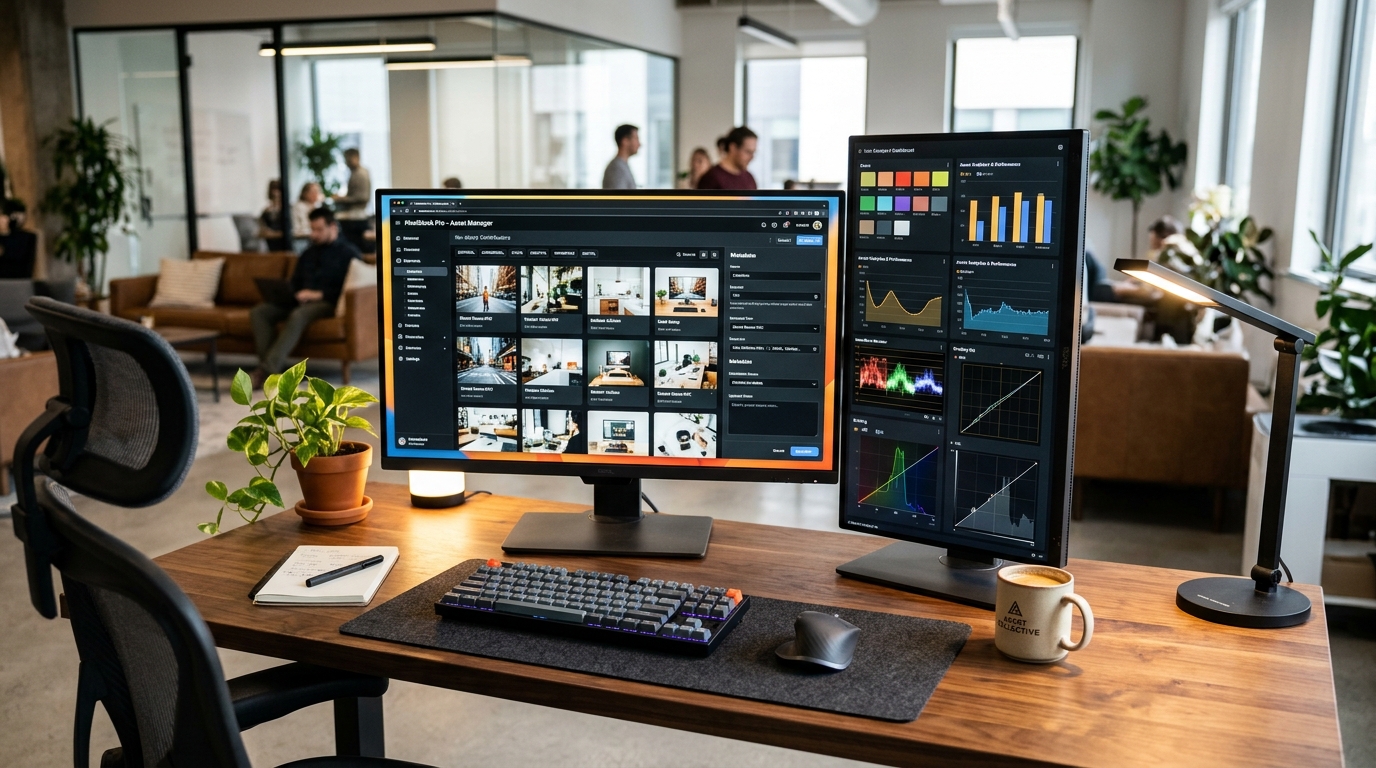
Quick recap and next step.

Auto draft, human review, in place fill, Adobe first. Run the 8-step pipeline on your next batch with a metadata helper that drafts titles and ordered keywords for you. Next read: contributor metadata pillar and how many stock sales replace day job.

Back to the pipelineNo credit card required · 50 free tags

The Weekly Acceptance Rate

Every Tuesday: algorithmic acceptance benchmarks, rejection mitigations, and keyword heuristics from 50,000+ commercial reviews. No spam, ever.

Zero promotional spam. Unsubscribe with 1 click at any time.