Home / Journal

Stock Photo Keywording Workflow: Sidepanel vs CSV In-Page Guide

11 min read

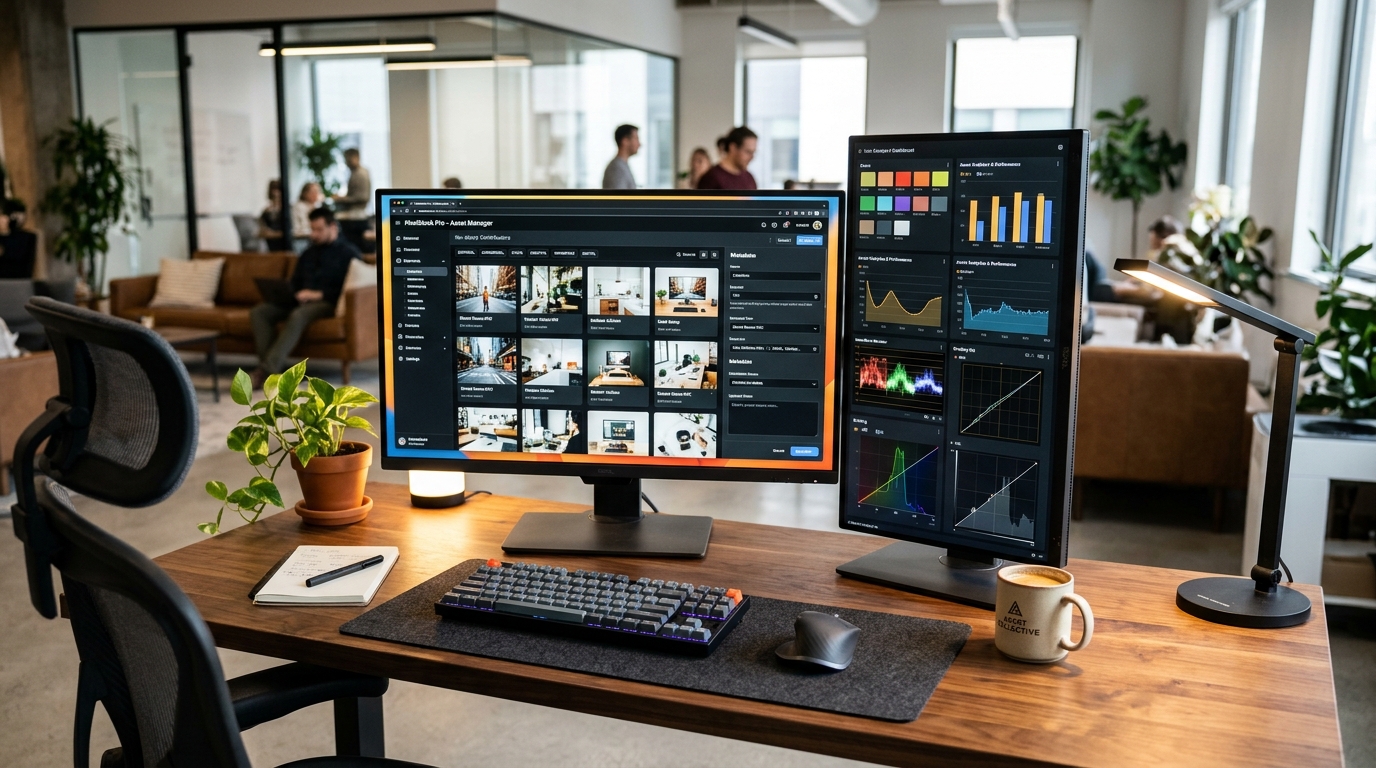
Copy titles across marketplaces multi-agency metadata workflow on creative agency displays
/* Dark post theme. Tokens mirror the live blog so post bodies read as native site chrome on #0A0A0F. Blue #3080FF stays the accent for rules, rings and ghost text; the primary button fill deepens to #2A6DE8 so white label text clears 4.5 to 1 (white on #3080FF is only 3.71 to 1). */ :root{ –bg:#0A0A0F; –surface:#131722; –surface-2:#0F141D; –surface-3:#1A2130; –line:rgba(255,255,255,0.08); –line-2:rgba(255,255,255,0.14); –accent:#3080FF; –accent-fill:#2A6DE8; –accent-soft:rgba(48,128,255,0.12); –accent-soft-2:rgba(48,128,255,0.22); –link:#3B82F6; –link-hi:#60A5FA; –h1:#F8FAFC; –ink-strong:#E2E8F0; –ink:#CBD5E1; –muted:#94A3B8; –r-btn:10px; –r-card:18px; –sans-head:”General Sans”,”Inter Tight”,Inter,system-ui,-apple-system,”Segoe UI”,Roboto,sans-serif; –sans:Inter,system-ui,-apple-system,”Segoe UI”,Roboto,sans-serif; color-scheme:dark; } *{box-sizing:border-box} html{background:var(–bg)} body{font-family:var(–sans);color:var(–ink);background:var(–bg);line-height:1.7;margin:0;padding:0;-webkit-font-smoothing:antialiased;text-rendering:optimizeLegibility} .wrap{max-width:700px;margin:0 auto;padding:24px 20px 64px} a{color:var(–link);text-decoration:underline;text-underline-offset:3px;text-decoration-thickness:1px} a:hover{color:var(–link-hi)} .sub{color:var(–muted);font-size:17px;margin:6px 0 12px} .cta-row{display:flex;gap:10px;flex-wrap:wrap;margin:12px 0 4px} .btn{display:inline-block;padding:10px 16px;border-radius:var(–r-btn);text-decoration:none;font-weight:600;font-size:15px;line-height:1.4;border:1px solid var(–accent);transition:background-color .18s ease,border-color .18s ease,color .18s ease} .btn-primary{background:var(–accent-fill);color:#fff;border-color:var(–accent-fill)} .btn-primary:hover{background:#2560D6;border-color:#2560D6;color:#fff} .btn-ghost{color:var(–accent);background:transparent} .btn-ghost:hover{background:var(–accent-soft);border-color:var(–line-2);color:var(–link-hi)} .tldr{border-left:4px solid var(–accent);background:var(–surface);padding:18px 20px;border-radius:0 var(–r-card) var(–r-card) 0;margin:24px 0;color:var(–ink);box-shadow:inset 1px 0 0 rgba(255,255,255,0.04)} .tldr strong{color:var(–ink-strong)} .truth{border:1px solid var(–line);border-radius:var(–r-card);overflow:hidden;margin:24px 0;background:var(–surface)} .check{border:1px solid var(–line);border-radius:var(–r-card);overflow:hidden;margin:24px 0;background:var(–surface)} .check>:first-child{border-radius:var(–r-card)} .truth table,.check table{width:100%;border-collapse:collapse;font-size:15px;color:var(–ink)} .truth th,.truth td,.check th,.check td{padding:11px 14px;border-top:1px solid var(–line);text-align:left;vertical-align:top} .truth tr:first-child th,.truth tr:first-child td,.check tr:first-child th,.check tr:first-child td{border-top:0} .truth th,.check th{background:var(–surface-2);color:var(–ink-strong);font-weight:600;letter-spacing:.01em} .truth td,.check td{color:var(–ink)} .truth tbody tr:nth-child(even) td,.check tbody tr:nth-child(even) td{background:rgba(255,255,255,0.02)} .table-scroll{overflow-x:auto;-webkit-overflow-scrolling:touch} .toc{background:var(–surface);border:1px solid var(–line);border-radius:var(–r-card);padding:16px 20px;margin:24px 0;color:var(–ink)} .toc strong{color:var(–ink-strong)} .toc a{color:var(–ink);text-decoration:none;display:inline-block;padding:3px 0;transition:color .16s ease} .toc a:hover{color:var(–link-hi)} h1{font-family:var(–sans-head);font-size:34px;line-height:1.22;letter-spacing:-0.02em;color:var(–h1);margin:8px 0;font-weight:700} h2{font-family:var(–sans-head);font-size:24px;line-height:1.3;letter-spacing:-0.015em;color:var(–ink-strong);margin:40px 0 10px;font-weight:700} h3{font-family:var(–sans-head);font-size:18px;line-height:1.4;color:var(–ink-strong);margin:26px 0 8px;font-weight:650} h2[id],h3[id]{scroll-margin-top:24px} strong{color:var(–ink-strong);font-weight:650} img{max-width:100%;height:auto;border-radius:var(–r-card);border:1px solid var(–line);display:block} .faq{display:grid;gap:12px;margin:20px 0} .faq details{border:1px solid var(–line);border-radius:var(–r-card);padding:16px 18px;margin:0;background:var(–surface);transition:border-color .18s ease,background-color .18s ease} .faq details:hover{border-color:var(–line-2)} .faq details[open]{background:var(–surface-2);border-color:var(–line-2)} .faq summary{font-weight:650;color:var(–ink-strong);cursor:pointer;line-height:1.5;list-style-position:outside} .faq summary:hover{color:var(–link-hi)} .faq summary::marker{color:var(–muted)} .faq details p{margin:10px 0 2px;color:var(–ink)} details{border:1px solid var(–line);border-radius:var(–r-card);padding:16px 18px;margin:24px 0;background:var(–surface);color:var(–ink)} summary{font-weight:650;color:var(–ink-strong);cursor:pointer;line-height:1.5} summary::marker{color:var(–muted)} summary:hover{color:var(–link-hi)} details p{margin:10px 0 2px;color:var(–ink)} .cta{border:1px solid var(–line);border-radius:var(–r-card);background:var(–surface);padding:20px;margin:28px 0;box-shadow:inset 0 1px 0 rgba(255,255,255,0.03)} .cta>strong:first-child{color:var(–ink-strong);display:block;margin-bottom:4px} .cta p{color:var(–ink)} .meta{color:var(–muted) !important;font-size:14px} .group{display:flex;gap:10px;flex-wrap:wrap;margin:14px 0} .pill{border:1px solid var(–line);border-radius:var(–r-pill);padding:6px 13px;background:var(–surface);color:var(–ink);font-size:14px} /* Theme-safe overrides. StockPilot renders post body in .entry-content and the post title in h1.wp-block-post-title, so scope to both. !important needed to beat the theme’s cross-origin striped-row and pale-text rules. */ h1.wp-block-post-title{color:var(–h1) !important;font-family:var(–sans-head) !important} .entry-content,div.entry-content p,div.entry-content li,div.entry-content td,div.entry-content th,div.entry-content summary,div.entry-content figcaption{color:var(–ink) !important} div.entry-content{background:var(–bg) !important} div.entry-content strong,div.entry-content h1,div.entry-content h2,div.entry-content h3{color:var(–ink-strong) !important} h1.wp-block-post-title,div.entry-content h1{color:var(–h1) !important} div.entry-content table{background:var(–surface) !important;color:var(–ink) !important} div.entry-content table th,div.entry-content table thead th{background:var(–surface-2) !important;color:var(–ink-strong) !important} div.entry-content table td,div.entry-content table tbody tr,div.entry-content table thead tr,div.entry-content table tbody tr:nth-child(even){background:transparent !important;color:var(–ink) !important} div.entry-content table tbody tr:nth-child(even){background:var(–surface) !important} div.entry-content table td,div.entry-content table th{border-color:var(–line) !important} div.entry-content .tldr,div.entry-content .toc,div.entry-content .cta,div.entry-content .faq details,div.entry-content details{background:var(–surface) !important;color:var(–ink) !important;border-color:var(–line) !important} div.entry-content .sub,div.entry-content .meta,div.entry-content figcaption{color:var(–muted) !important} div.entry-content a{color:var(–link) !important} div.entry-content .btn-primary{background:var(–accent-fill) !important;color:#fff !important;border-color:var(–accent-fill) !important} div.entry-content .btn-ghost{background:transparent !important;color:var(–accent) !important} div.entry-content .pill{background:var(–surface) !important;color:var(–ink) !important;border-color:var(–line) !important} div.entry-content summary{color:var(–ink-strong) !important} div.entry-content summary::marker{color:var(–muted) !important} div.entry-content img{border-color:var(–line) !important} div.entry-content hr{border:0;border-top:1px solid var(–line)} div.entry-content code{background:var(–surface-2);color:var(–ink-strong);border:1px solid var(–line);border-radius:6px;padding:1px 5px} @media(max-width:480px){h1{font-size:27px}h2{font-size:21px}.wrap{padding:18px 14px 48px}.btn{width:100%;text-align:center}.cta-row{gap:8px}} a:focus-visible,.btn:focus-visible,summary:focus-visible{outline:2px solid var(–accent);outline-offset:2px;border-radius:4px} @media(prefers-reduced-motion:reduce){*{transition-duration:.01ms !important;animation-duration:.01ms !important}}

Stock contributors · Adobe Stock · 6 min read

Edit titles and keywords where you see the image. In page sidepanel work beats CSV export for most Adobe Stock batches.

TL;DR: Sidepanel keywording means editing on the file page with the preview in view. CSV keywording means drafting in a sheet and importing. Before: rows drift from images, pasted sets repeat, order goes stale. After: type what you see, keep the first 10 terms specific, save in place.

Introduction

Keywording feels slow either way, so pick the method with fewer faults. A sheet looks fast until a title lands on the wrong row or a pasted set describes ten files at once. Adobe Stock reads titles and keyword order per file. Editing where you see the pixels keeps words tied to what shows. That is why the sidepanel wins for most contributors.

Truth Box

SignalInsight
Image in viewTyping with the preview open cuts wrong term faults. Sheets hide the image.
Order mattersFirst 10 keywords carry weight. Per file edits protect order. Bulk paste breaks it.
Row drift is realOne sort or filter in a sheet can shift titles across files. Sidepanel has no rows to shift.
Fix time favors in pageSmall per file fixes take seconds in place. Sheet fixes need export, edit, reimport.
Sheets suit drafts onlyUse sheets for shared base terms, then finish each file in page.

What Does Each Keywording Workflow Mean in Practice?

Sidepanel keywording is editing title, keywords, and category directly on the upload or file page. You see the preview, you type, you save. CSV keywording is preparing the same fields in a spreadsheet, then importing or pasting them into files. Sheets help when 50 frames share a location and shoot terms. They hurt when each frame needs its own specific lead terms.

How the two workflows compare

Follow one file through each path. In page: open file, read pixels, write plain title under 70 chars, add 20 to 35 true terms with the most specific first, pick one category, save. Sheet path: open sheet, find row, write without preview, export, import, open each file anyway to verify, fix drift. Most contributors end up opening each file anyway.

Where time actually goes

Sheet fans count typing time only. Add verify time and fix time. See Adobe: titles, keywords, and categories and quality and technical issues. Verification is required in both paths, but only in page work combines verify and fix in one view.

StepSidepanelCSV sheet
DraftType with image openType by file name only
OrderSet top 10 per file as you typeSorts and fills flatten order across rows
CheckRead back against pixels at onceCross check names to rows, then open files
FixEdit and save in placeEdit sheet, reimport, recheck

Side by side with numbers

Numbers vary by batch, but the pattern holds across small and mid size uploads. In page work adds a little typing time and saves most of the fix time.

Accuracy firstOrder keptFix in place
Open the full comparison table
FactorSidepanel in pageCSV export and import
Wrong file faultsRare. Image stays in viewCommon after sorts and filters
Duplicate setsLow. Each file gets own lead termsHigh. Paste tempts one set for many files
Keyword orderKept per fileDrifts when columns shift
Spelling and formCaught against pixelsCaught late on recheck
Best batch size1 to 200 filesDraft base terms for 200 plus, then finish in page

Weak sheet title: Beautiful team success. Strong in page title: Business team reviewing charts in modern office. The second names visible facts because the writer saw them while typing.

Mistakes CSV invites

Sorting by one column while titles stay frozen moves titles to wrong files. Filtering hides rows so pasted terms skip files. Commas inside phrases split one term into two on import. One keyword set pasted across a series triggers similar content flags and buries the best frames. If you draft in a sheet, freeze the file name column, avoid sorting mid batch, and finish order in page.

Which to pick for your batch

Pick sidepanel when files differ in subject, angle, or use. Pick a sheet draft only when a large shoot shares place, light, and base terms, then adjust each file in page. Hybrid wins at scale: sheet for shared base, sidepanel for the first 10 specific terms per file. Never ship a sheet without opening each file once.

Common Misconceptions

Sheets are always faster. No. Typing is faster. Total time with fixes is slower for most batches.
Import keeps order intact. No. Column shifts and delimiters reorder terms on the way in.
One set fits a series. No. Each file needs its own lead terms tied to its own pixels.

FAQ

What is sidepanel keywording?

Editing title, keywords, and category directly on the file page where you see the preview and save in place.

What is CSV keywording?

Preparing titles and keywords in a spreadsheet then importing or pasting them across files. Useful for batches but easy to misalign.

Why does in page editing win for most contributors?

You see the image while you type, catch copy paste faults fast, and keep order and spelling tied to visible pixels.

When does CSV still help?

For large shoots with shared base terms. Draft once, then adjust each file in page so every file keeps specific first terms.

How do I switch without losing work?

Export current terms as backup, move one batch at a time, check first 10 terms per file, then lock the sheet as archive.

Conclusion

Type where you see the image. Keep sheets for shared drafts, finish each file in place, guard the first 10 terms. That habit cuts drift, duplicates, and rework in one move.

Quick recap and next step.

Edit in page, use sheets only for shared base terms, verify each file against pixels. Reread the side by side table before your next batch. Next read: contributor metadata pillar and how many sales replace day job pay. If per file typing slows uploads, StockPilot can draft Adobe ready titles and keywords in the sidepanel.

Back to the comparisonNo credit card required · 50 free tags

The Weekly Acceptance Rate

Every Tuesday: algorithmic acceptance benchmarks, rejection mitigations, and keyword heuristics from 50,000+ commercial reviews. No spam, ever.

Zero promotional spam. Unsubscribe with 1 click at any time.